
The gym rest timer that starts itself and follows you everywhere.
Tick your set and Repto starts the rest countdown. It sits on your Lock Screen, in the Dynamic Island and on your Apple Watch, so you rest exactly as long as you planned.
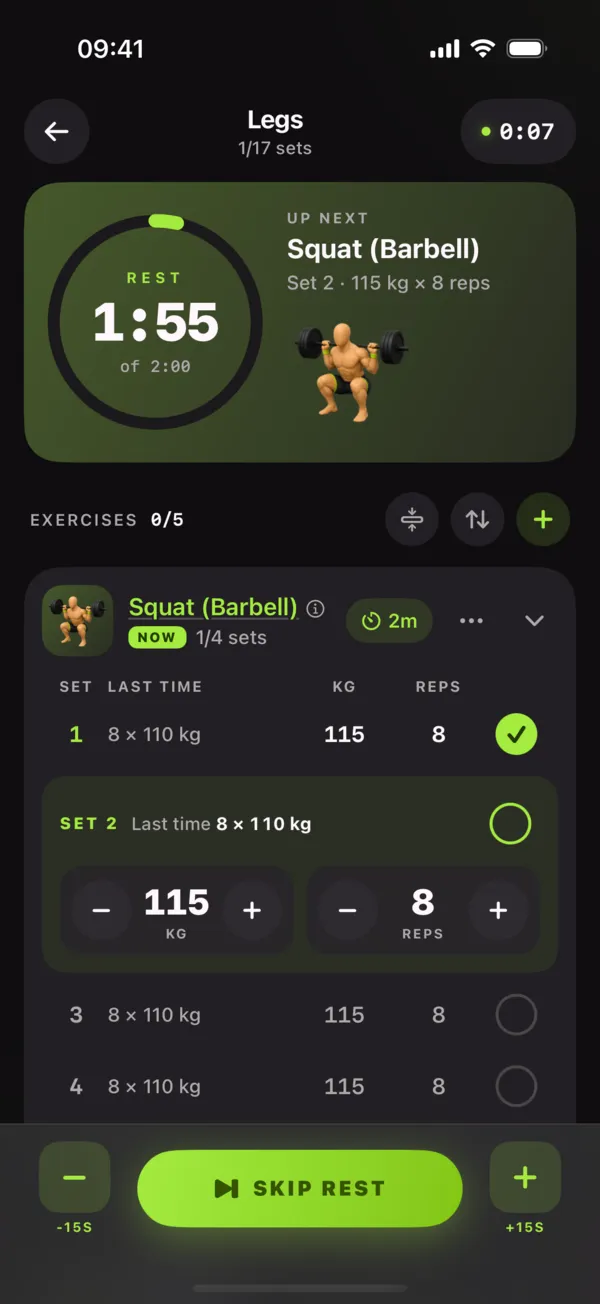
How the rest timer works
1. Log the set. Tap the check mark next to the set you just finished.
2. The countdown starts. Each exercise keeps its own rest time, so heavy squats can get 3 minutes and curls 60 seconds.
3. Lock your phone. The timer and your next set (for example Set 4 · 65 kg × 8) stay on the Lock Screen and in the Dynamic Island. It turns amber near the end and plays the sound or haptic you chose.
How long should you rest between sets?
Heavy strength work (1–5 reps): 2–5 minutes, so you can repeat the weight with good form.
Muscle building (6–15 reps): about 1–3 minutes. Longer rest on big compound lifts, shorter on isolation moves.
Conditioning and circuits: 30–60 seconds to keep your heart rate up.
Every Repto program comes with sensible rest times built in, and you can change them per exercise.
Everywhere you train
Rest timers run on iPhone (Lock Screen and Dynamic Island Live Activities), on Android 16 as a Live Update, and on the standalone Apple Watch app. Because the timer is part of the workout log, Repto also remembers what you lifted and suggests your next weight.
The same timer on Apple Watch
FAQ
Does the rest timer start automatically?
Yes. Tick a set as done and the rest countdown starts on its own, using the rest time set for that exercise. You can add 30 seconds or skip it.
Can I see the rest timer on the Lock Screen?
Yes. On iPhone the timer runs as a Live Activity on the Lock Screen and in the Dynamic Island, with your next set underneath, so you never need to unlock the phone. On Android 16 it shows as a Live Update, and it also runs on Apple Watch.
Is the rest timer free?
Yes. The rest timer, Lock Screen and Dynamic Island Live Activities, Android Live Update and the Apple Watch app are all free, with no ads.