
InBody scanner app: photograph your sheet, get your trends.
Stop squinting at paper printouts. Repto’s AI reads your InBody, Tanita or ACCUNIQ result sheet in seconds and charts every scan next to your training.
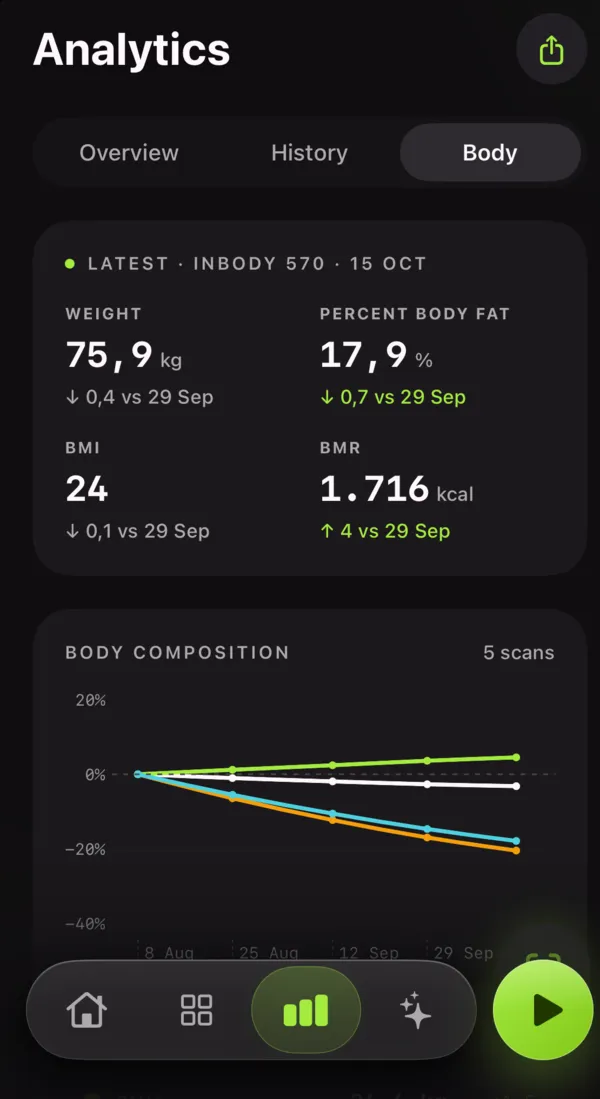
How to scan your InBody sheet
1. Open Repto → Body → Scan sheet. Lay the printout flat in good light.
2. Take the photo. The AI finds the sheet and reads weight, skeletal muscle mass (SMM), percent body fat (PBF) and fat mass.
3. Check and save. Confirm the numbers, and they join your 12-week body composition chart and sync to Apple Health.
Reading SMM and PBF the right way
SMM (skeletal muscle mass) is what training builds. A rising SMM with stable weight means you are recomposing, even if the scale doesn’t move.
PBF (percent body fat) is fat mass ÷ body weight. Watch the trend across scans taken under the same conditions (same time of day, before training, similar hydration), not a single reading.
Repto puts these trends beside your training volume, so you can see which block actually moved the needle.
FAQ
Which body composition machines does the scanner support?
Result sheets from InBody (for example InBody 270, 370, 570 and 770 printouts), Tanita and ACCUNIQ. Take a clear, flat photo of the printed sheet.
What does SMM and PBF mean on my InBody sheet?
SMM is skeletal muscle mass, the muscle you build by training, in kg. PBF is percent body fat: fat mass divided by total weight. Tracking both over time tells you whether a weight change came from muscle or fat.
Is the InBody scanner free?
Your first scan is free. Repto Pro ($24.99/year, 14-day free trial) unlocks unlimited scans. You can also type values in by hand for free.